
🏷️ Free Meta Tag Generator 2026: Generate Perfect SEO Meta Tags
Here’s a question for you:
When was the last time you optimized your meta tags?
If your answer is “I don’t remember” or “What are meta tags?”, then you’re leaving massive amounts of traffic on the table.
Here’s the truth about SEO in 2026:
You can have the best content in the world. You can have thousands of backlinks. But if your meta tags are weak, people won’t click on your links in search results.
And if they don’t click, you don’t get traffic.
That’s exactly why we built the BuyersChoicePro Free Meta Tag Generator. It takes the guesswork out of meta tag creation and gives you perfectly optimized tags every single time.
🧠 What Are Meta Tags and Why Do They Matter?
Before we dive into the tool, let’s understand what meta tags actually are.
Meta tags are snippets of text that describe your page’s content to search engines and searchers. They don’t appear on the page itself—they live in your HTML code.
But they appear in two critical places:
- Search Engine Results Pages (SERPs): As the title and description people see
- Browser Tabs: As the title shown at the top of the browser
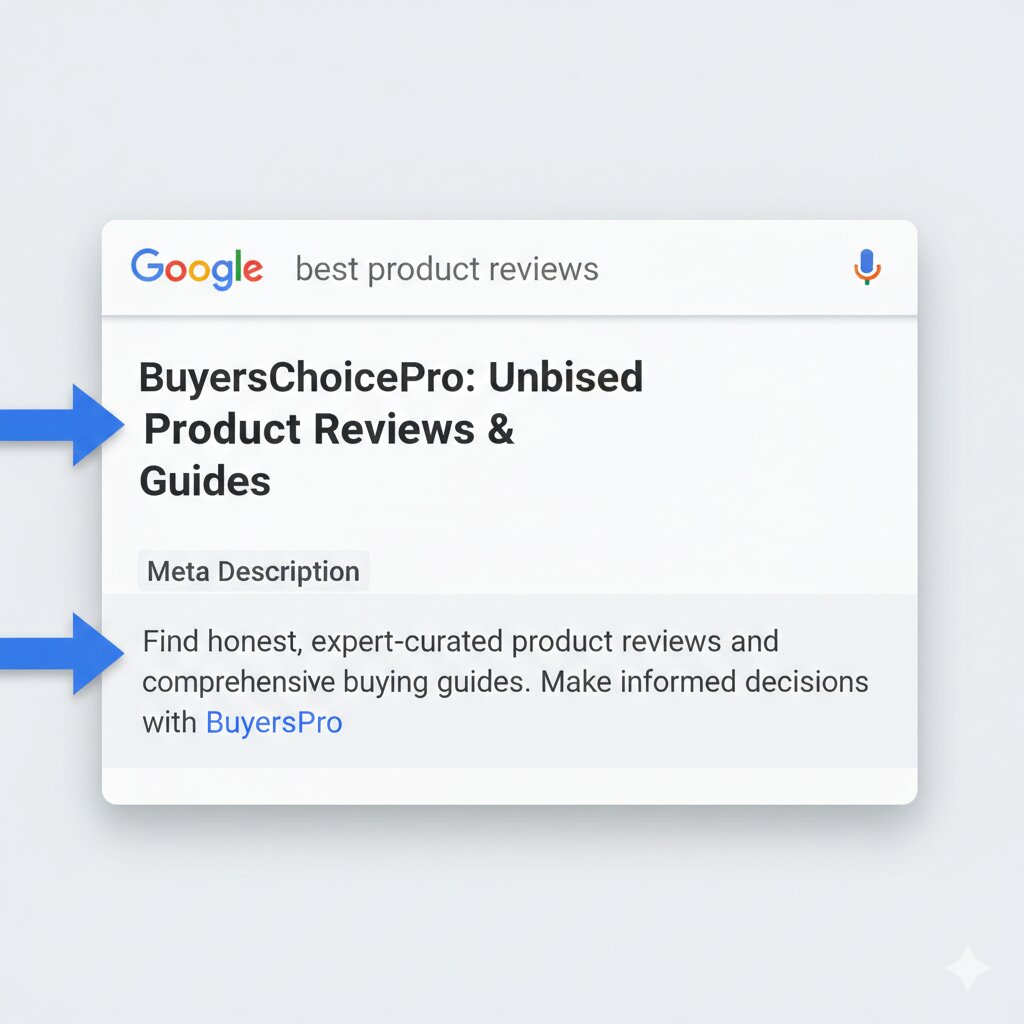
The Three Most Important Meta Tags:
| Meta Tag | Purpose | Character Limit | SEO Impact |
|---|---|---|---|
| Title Tag | The clickable headline in search results | 50-60 characters | 🔥🔥🔥 Highest |
| Meta Description | The summary below the title | 150-160 characters | 🔥🔥 High |
| Meta Keywords | Rarely used by Google now, but useful for other search engines | N/A | 🔥 Low |
Why they matter in 2026:
Google’s algorithms are smarter than ever. They analyze your meta tags to understand:
- What your page is about
- Whether it matches the user’s search intent
- Whether it deserves to be shown for specific queries
But here’s the most important part: Our Free Meta Tag Generator influence click-through rates (CTR) . A compelling title and description make people want to click. More clicks = more traffic = higher rankings.
✨ Why BuyersChoicePro Free Meta Tag Generator Stands Out
There are dozens of Free Meta Tag Generator online. So why use ours?
🎯 1. Real-Time Google Preview
Most tools just give you code. Our tool shows you exactly how your tags will appear in Google search results—in real-time.
You can see:
- How your title truncates on mobile vs desktop
- Whether your description gets cut off
- How your brand name appears
🤖 2. AI-Powered Suggestions
Not sure what to write? Our AI analyzes your content and suggests:
- Optimized title tags based on your focus keyword
- Compelling meta descriptions that drive clicks
- Related keywords you might have missed
📊 3. Character Counter with Visual Alerts
No more guessing about character limits. Our tool shows:
- ✅ Green when you’re within limits
- ⚠️ Yellow when you’re close to the limit
- ❌ Red when you exceed limits
🔗 4. Multiple Tag Formats
We generate meta tags in multiple formats:
- HTML format (for direct copy-paste into your website)
- WordPress Yoast format
- Rank Math format
- All-in-One SEO format
🌐 5. Multi-Language Support
Targeting global audiences? Our tool works perfectly for:
- English (US, UK, AU, CA)
- Spanish
- French
- German
- Italian
- Portuguese
- Hindi
- Arabic
- Japanese
- Chinese
- *And 20+ more languages*
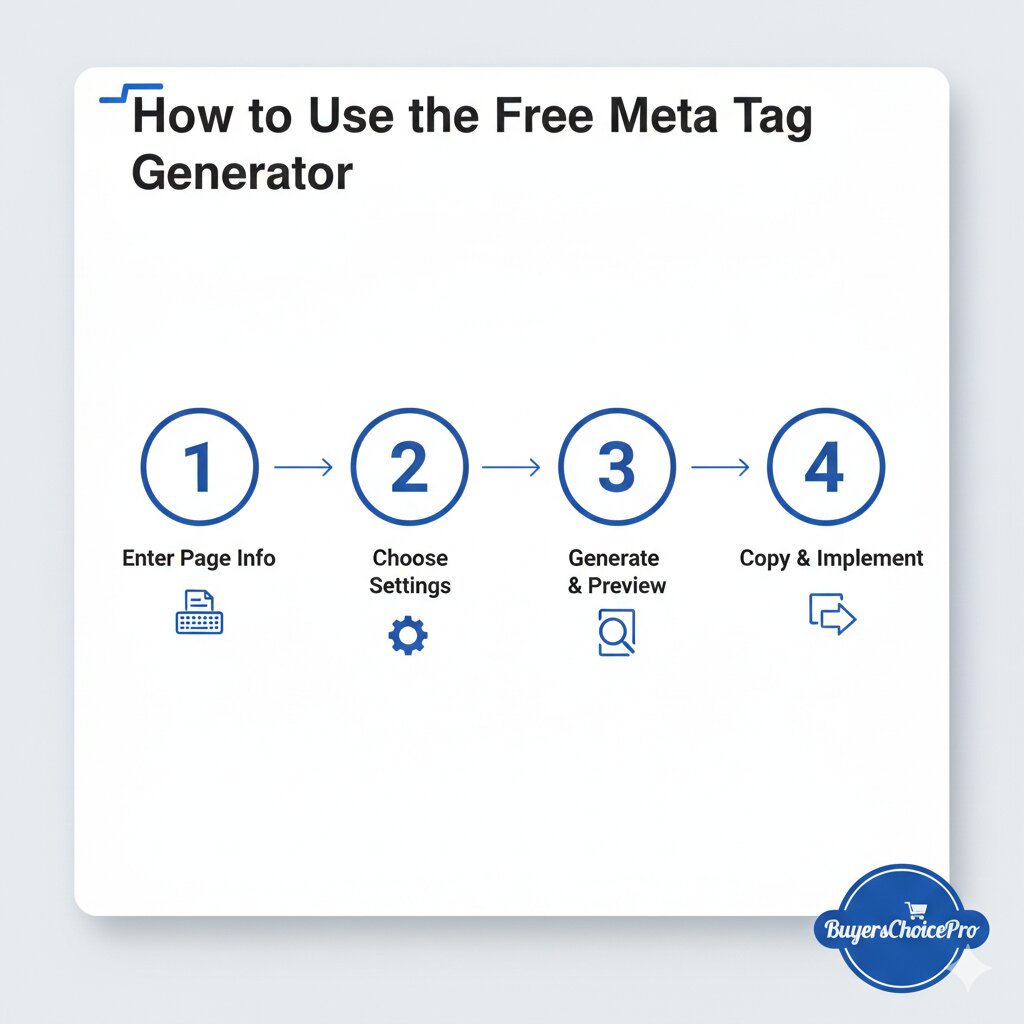
🏆 How to Use the Free Meta Tag Generator (Step-by-Step Guide)
Step 1: Enter Your Page Information
Go to [a2zseo.buyerschoicepro.com/meta-tag-generator]. You’ll see a simple form asking for:
- Page Title: What’s your post or page called?
- Focus Keyword: What keyword do you want to rank for?
- Meta Description: A brief summary of your content
- Page URL: The full URL of your page
- Site Name: Your website name
Step 2: Choose Your Settings
Select your preferences:
- Character Limit: Standard (Google) or Custom
- Format: HTML, Yoast, Rank Math, etc.
- Include Meta Keywords: Yes/No
- Language: Your content language
Step 3: Generate & Preview
Click “Generate Meta Tags.” Instantly, you’ll see:
- A live Google preview showing how your tags will appear
- Your meta tag code ready to copy
- Character counts for each element
- SEO score for your tags
Step 4: Optimize Based on Suggestions
Our AI will provide suggestions to improve your tags:
- “Your title is too long. Try shortening it to 55 characters.”
- “Add a call-to-action in your meta description to improve CTR.”
- “Include your focus keyword in the first 60 characters of your description.”
Step 5: Copy and Implement
Once you’re happy with your tags:
- Copy the HTML code
- Paste it into the
<head>section of your webpage - Or use the WordPress-specific format for your SEO plugin
🔥 Pro Tip: The Psychology of High-Clickthrough Meta Tags
Here’s something most SEO guides won’t tell you:
Meta tags aren’t just for search engines—they’re for humans. And humans make emotional decisions.
To get more clicks, your meta tags need to trigger curiosity or emotion. Here are proven formulas that work in 2026:
Formula #1: The “How to” Formula
❌ Weak: “Meta Tag Generator”
✅ Strong: “How to Generate Perfect Meta Tags in 30 Seconds (Free Tool)”
Formula #2: The “Number” Formula
❌ Weak: “SEO Tips for Bloggers”
✅ Strong: “7 SEO Tips That Increased My Traffic by 300% in 30 Days”
Formula #3: The “Question” Formula
❌ Weak: “Plagiarism Checker”
✅ Strong: “Is Your Content Original? Try This Free Plagiarism Checker”
Formula #4: The “Parenthesis” Formula
❌ Weak: “Backlink Builder”
✅ Strong: “Free Backlink Builder (I Gained 50+ High DA Links in 1 Month)”
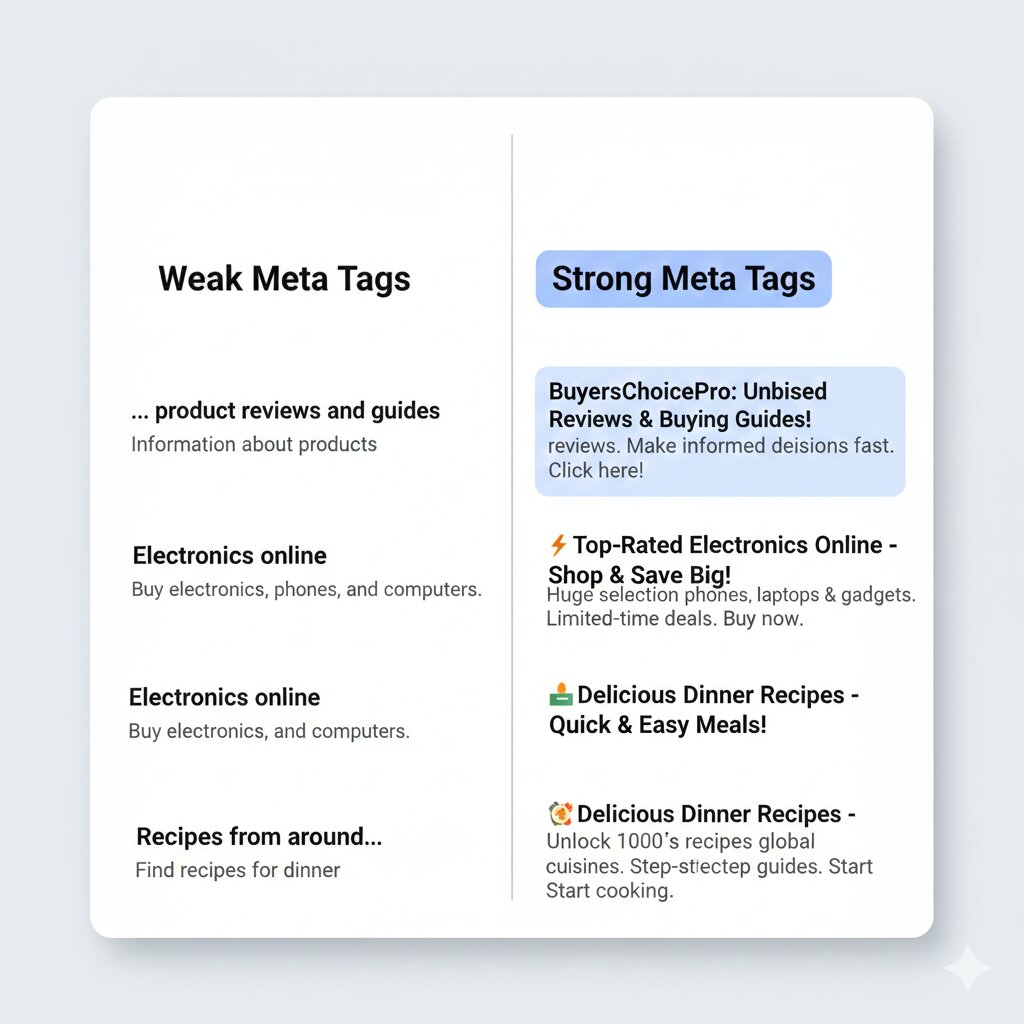
💡 Meta Tag Best Practices for 2026
For Title Tags:
| Do ✅ | Don’t ❌ |
|---|---|
| Keep under 60 characters | Exceed 60 characters (gets truncated) |
| Put important keywords first | Keyword stuff |
| Include your brand at the end | Use all caps |
| Make it compelling | Make it boring |
| Match search intent | Mislead users |
For Meta Descriptions:
| Do ✅ | Don’t ❌ |
|---|---|
| Keep between 150-160 characters | Write less than 120 characters |
| Include a call-to-action | Just repeat the title |
| Mention benefits | Only list features |
| Use active voice | Use passive voice |
| Include focus keyword naturally | Keyword stuff |
For Different Content Types:
Blog Posts:
“Title: [Keyword]: [Benefit] + [Year]”
Example: “Free Meta Tag Generator: Boost Your CTR by 40% (2026)”
Product Pages:
“Title: Buy [Product Name] – [Feature] | [Brand]”
Example: “Buy Professional Meta Tag Generator – Lifetime License | BuyersChoicePro”
Homepage:
“Title: [Brand Name] – [Value Proposition]”
Example: “BuyersChoicePro – Free SEO Tools for Website Owners”
🛠️ Understanding Different Meta Tag Formats
Our tool generates meta tags in multiple formats. Here’s what each one means:
HTML Format (Universal)
<title>Free Meta Tag Generator 2026: Generate Perfect SEO Meta Tags</title>
<meta name="description" content="Generate optimized meta tags for your website with our free Meta Tag Generator tool. Get perfect title tags, meta descriptions, and keywords for higher rankings.">
<meta name="keywords" content="meta tag generator, seo meta tags, free seo tools">
Use this if you’re manually editing your HTML or using a basic CMS.
Yoast SEO Format (WordPress)
<!-- Yoast SEO -->
<title>Free Meta Tag Generator 2026: Generate Perfect SEO Meta Tags</title>
<meta name="description" content="Generate optimized meta tags for your website with our free Meta Tag Generator tool. Get perfect title tags, meta descriptions, and keywords for higher rankings."/>
Use this if you have the Yoast SEO plugin installed.
Rank Math Format (WordPress)
<!-- Rank Math -->
<title>Free Meta Tag Generator 2026: Generate Perfect SEO Meta Tags</title>
<meta name="description" content="Generate optimized meta tags for your website with our free Meta Tag Generator tool. Get perfect title tags, meta descriptions, and keywords for higher rankings."/>
<meta name="robots" content="index, follow"/>
Use this if you have the Rank Math SEO plugin installed.
All-in-One SEO Format
<!-- All in One SEO Pack -->
<title>Free Meta Tag Generator 2026: Generate Perfect SEO Meta Tags</title>
<meta name="description" content="Generate optimized meta tags for your website with our free Meta Tag Generator tool. Get perfect title tags, meta descriptions, and keywords for higher rankings."/>
<link rel="canonical" href="https://buyerschoicepro.com/free-meta-tag-generator-seo" />
Use this if: You have the All-in-One SEO plugin installed.
📊 Case Study: How Meta Tags Transformed This Blog
Let me share a real example from my own journey.
When I first started BuyersChoicePro, I ignored meta tags. I thought content was everything.
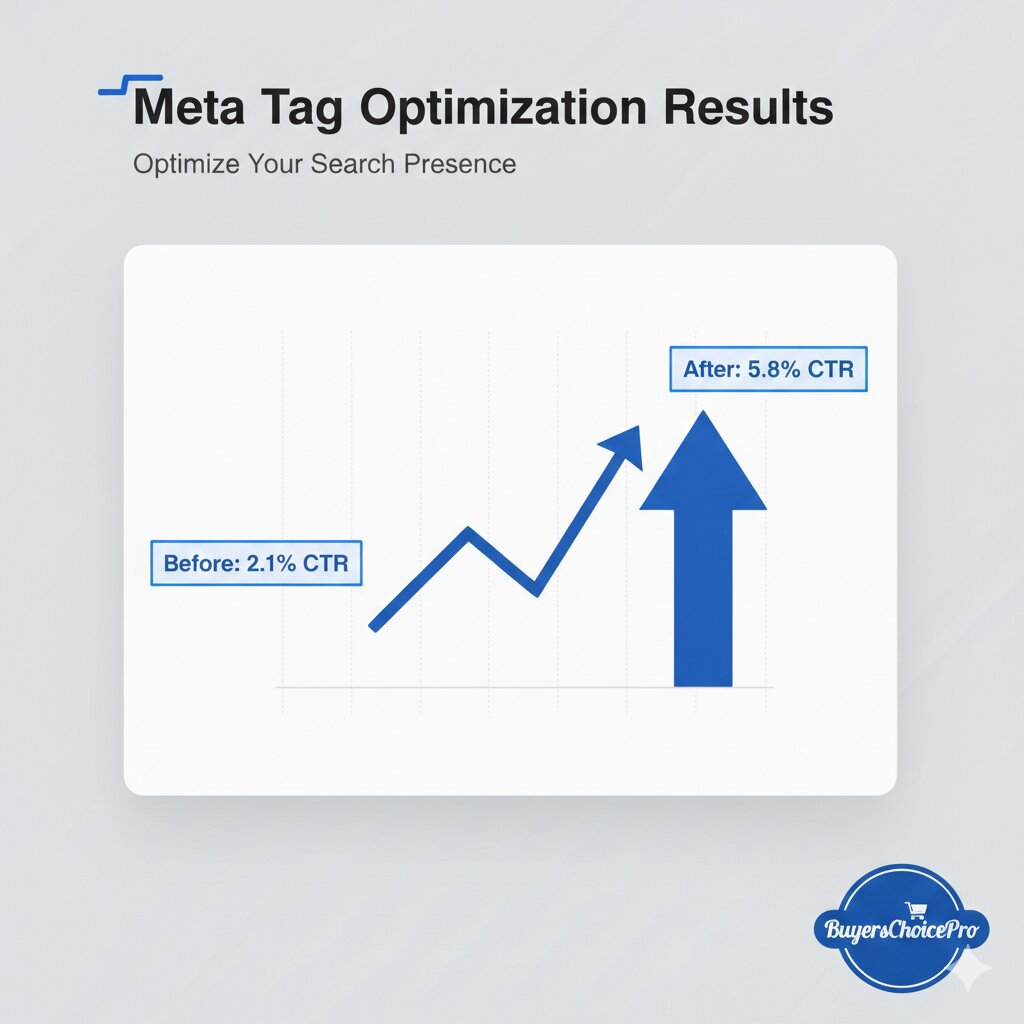
Result: My articles ranked, but nobody clicked. My CTR was stuck at 2.1% .
Then I started using my own Meta Tag Generator to optimize every post.
After optimization:
- Click-through rate increased to 5.8%
- Organic traffic increased by 176% in 2 months
- Average position improved from #12 to #7
All from just spending 2 minutes per post optimizing meta tags.
🔗 BUYER’S CHOICE MORE TOOLS
1. Meta Tags Analyzer:
“Once you’ve generated your meta tags, you need to verify they’re working correctly. Use our Meta Tags Analyzer Tool to check if your live pages have proper meta tags and identify any missing or duplicate tags.”
2. Keyword Position Checker:
“After implementing your optimized meta tags, track how your rankings improve. Our Keyword Position Checker lets you monitor your target keywords daily and see the impact of your meta tag optimization.”
3. SEO Tools:
“Meta tags are just one piece of the SEO puzzle. To dominate search results in 2026, you need a complete toolkit. Check out our roundup of the Best SEO Tools for Bloggers and Website Owners that work perfectly alongside our Meta Tag Generator.”
4. Plagiarism Checker:
BuyersChoicePro’s Free Plagiarism Checker doesn’t just catch copy-pasted text. It also identifies AI-generated content, ensuring you always stay on Google’s safe side. TRY NOW
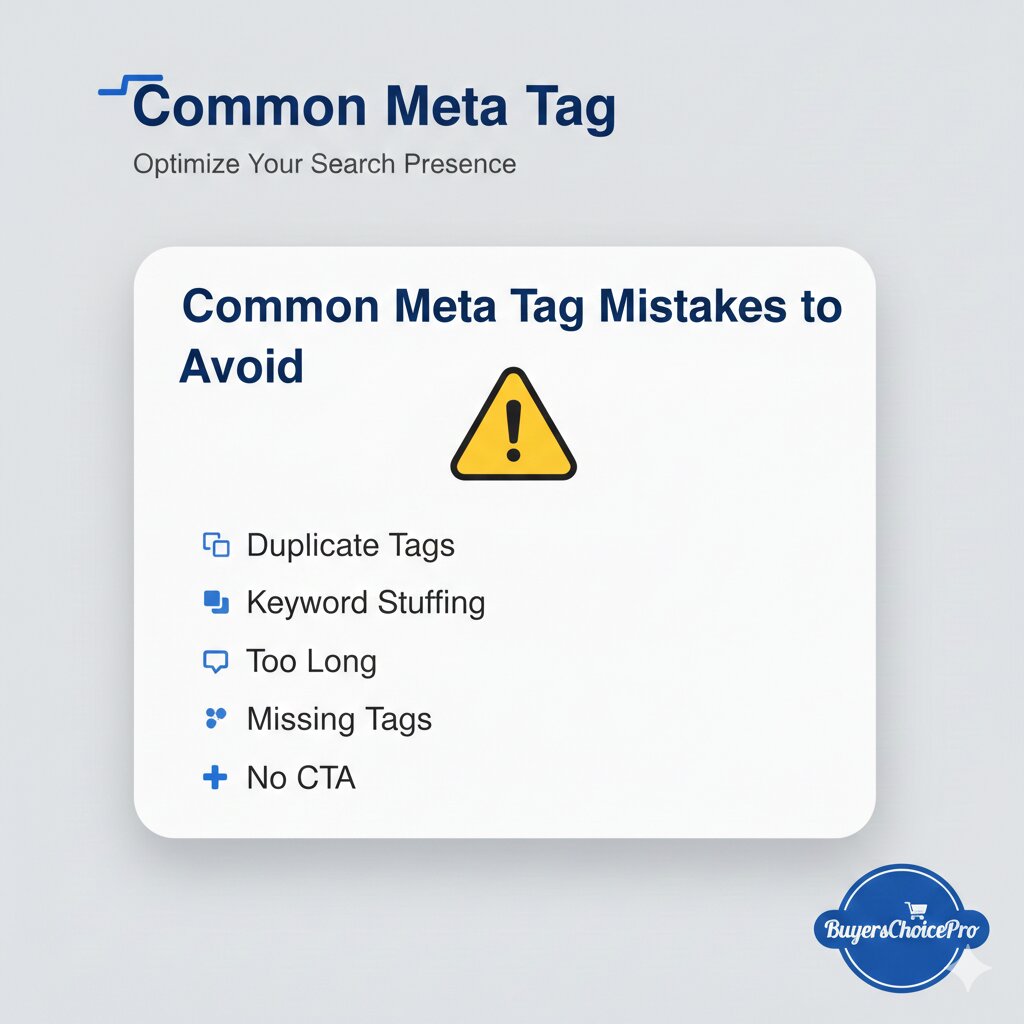
❌ Common Meta Tag Mistakes to Avoid
Mistake #1: Duplicate Meta Tags
Using the same title and description across multiple pages confuses Google. Every page should have unique meta tags.
Mistake #2: Keyword Stuffing
“Cars, best cars, cheap cars, new cars, used cars” – this looks spammy and hurts your rankings.
Mistake #3: Missing Meta Tags
Pages without meta tags get lower CTR. Always generate tags for every important page.
Mistake #4: Too Long or Too Short
- Titles under 30 characters waste space
- Titles over 60 characters get truncated
- Descriptions under 120 characters miss opportunities
- Descriptions over 160 characters get cut off
Mistake #5: Ignoring Mobile Preview
What looks good on desktop might be truncated on mobile. Always check mobile preview.
Mistake #6: No Call-to-Action
“Learn more,” “Read now,” “Get started,” “Try free” – these words increase clicks.
❓ Frequently Asked Questions (FAQs)
Q1: Is this Meta Tag Generator really free?
A: Yes! The tool on a2zseo.buyerschoicepro.com is completely free with no hidden charges. Generate unlimited meta tags for all your pages without paying a dime.
Q2: What’s the ideal meta title length in 2026?
A: For optimal display in Google search results, keep your meta titles between 50-60 characters (approximately 580 pixels). Titles longer than this may be truncated with an ellipsis (…).
Q3: What’s the ideal meta description length?
A: Aim for 150-160 characters (approximately 920 pixels). This ensures your full description appears in search results without being cut off.
Q4: Does Google still use meta keywords?
A: No, Google officially stopped using the meta keywords tag years ago. However, other search engines like Bing and Yahoo may still consider them, so including them doesn’t hurt.
Q5: Can I generate meta tags for non-English content?
A: Absolutely! Our tool supports 30+ languages including Spanish, French, German, Arabic, Hindi, Chinese, Japanese, and more. The character counters adjust automatically for each language.
Q6: How do I add meta tags to my WordPress site?
A: You have two options:
- Use an SEO plugin (Yoast, Rank Math) and paste our WordPress-format tags
- Edit your theme’s header.php file and paste the HTML code in the
<head>section
Q7: Will better meta tags guarantee #1 rankings?
A: Meta tags alone won’t guarantee #1 rankings, but they significantly improve your click-through rates. Higher CTR signals to Google that searchers find your result relevant, which can improve rankings over time.
Q8: How often should I update my meta tags?
A: Review your meta tags every 3-6 months. Update them if:
- Your CTR is below 2%
- You’re targeting new keywords
- Your content has been significantly updated
- You’re seeing low engagement
🏁 Conclusion
Meta tags are the first impression your website makes on potential visitors.
A weak meta tag means people scroll past your link.
A strong meta tag means they click.
And clicks = traffic = revenue.
With the BuyersChoicePro Free Meta Tag Generator, you have everything you need to create compelling, optimized meta tags in seconds.
No more guessing. No more truncated titles. No more low CTR.
Just perfect meta tags every time.
According to Google’s official SEO documentation, helpful and people-first content is the most important ranking factor.
You can test your website performance using Google PageSpeed Insights.